Local-first AI companion
Private chat with local AI
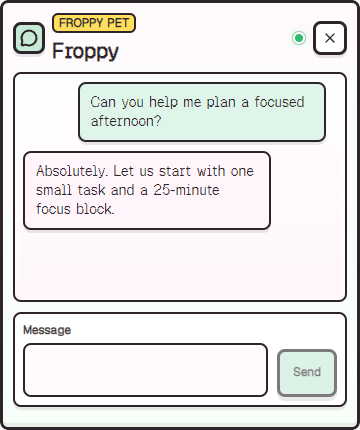
Chat with Froppy on your Windows PC. Replies are generated locally, while notes, reminders, and memories stay on your device.
Generated replies stay local
Froppy sends structured, privacy-safe pet context to the managed local AI runtime instead of sending chat to a hosted AI provider.
- Uses llama.cpp on the local machine.
- Uses Qwen2.5 1.5B Instruct GGUF Q4_K_M for MVP generated replies.
- Settings show local AI readiness.
- Saved chat history stays local and can be disabled or cleared.
- Chat blocks generated sends when required local AI is unavailable.
Prompt context is intentionally narrow
Froppy can use pet state, preferences, and broad activity categories, but does not need private screen or document content to feel alive.
- No screen reading or screenshots.
- No browser page, document, message, or typed-text capture.
- No raw window titles sent to AI.
- Activity summaries are privacy-gated.
Helpful fallback behavior
Basic pet interactions and deterministic dialogue remain part of the app, while generated AI replies clearly surface local setup problems when required AI is not ready.
- Scripted pet reactions keep the companion loop alive.
- Runtime and model issues are shown as setup problems.
- Setup progress, retry, and recovery guidance stay in the app.
At a glance
Froppy page topics
- local AI desktop pet
- Qwen GGUF desktop companion
- AI desktop pet without cloud
- privacy-first AI companion app
Quick answers
Common questions
Does Froppy Pet send chat to OpenAI or another cloud AI provider?
No. The current app is built around managed local AI. Cloud AI is not enabled unless a future product decision explicitly adds it.
Which local model does Froppy Pet use?
The current MVP uses Qwen2.5 1.5B Instruct GGUF Q4_K_M through llama.cpp.
Next steps